
AI Chat Launcher: AI Assistant
AtomApplicationsProductivity
4.5970.00 Reviews
- Version
- 3.6.0
- Installs
- 100.00K
- Age Rating
- Everyone
Screenshots
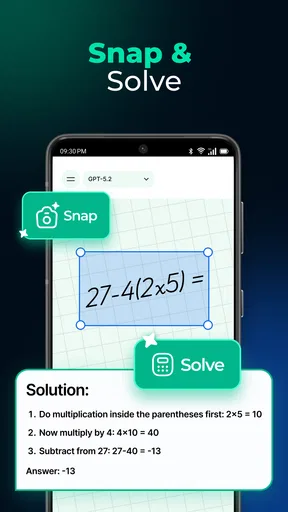
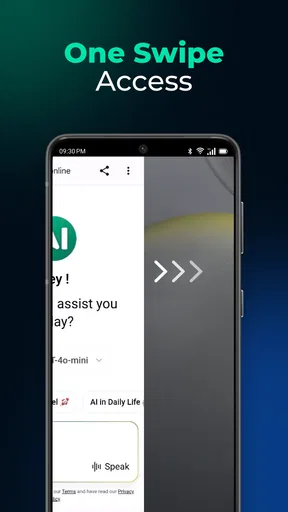
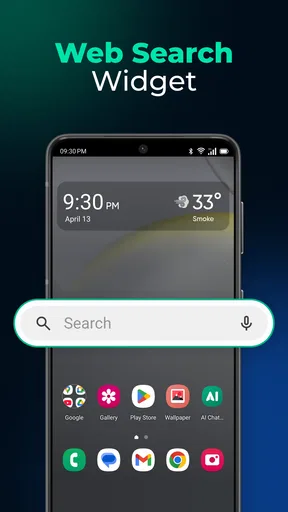
Our Review of AI Chat Launcher: AI Assistant
 Analysis by Appyee
AI Chat Launcher: AI Assistant caught my attention because it puts an AI conversation closer to the moment when I actually need one. Instead of opening a separate chatbot, finding the right conversation, and then switching back to another app, the idea is to make assistance feel like a quick layer over everyday work. I tested it with that expectation, and my first impression was positive: it is more useful as a shortcut to thinking than as a destination where I would spend a long time chatting.
The app comes from AtomApplications and sits in the productivity category. It is free, rated for Everyone, and runs on Android 10 or newer. Its current version is 3.6.0, and the app has reached over one hundred thousand installs with an average rating of 4.5 from around two thousand ratings. Those figures suggest that the concept has found a real audience, but they do not replace the more important question: does an AI launcher remain helpful after the first week, or does it become another shortcut I stop noticing?
From quick novelty to a useful daily habit
I found that the shift from trying the launcher once to relying on it comes from choosing a few repeatable jobs, rather than asking it to handle everything. In this section, I look at how a quick rewrite or a structured second opinion can fit into an ordinary routine, and why keeping the task small helps the convenience last.
The first week feels fast and flexible
During the first few days, the appeal is easy to understand. I could reach an AI assistant without treating every question like a formal research session. That matters for small tasks: rewording a message, turning rough notes into a cleaner outline, checking whether a sentence sounds natural, or asking for a starting point when I am stuck. The launcher approach reduces the distance between having a question and asking it.
The app is presented as an AI Chat Launcher, but I found that description more useful when interpreted as a workflow tool rather than a replacement for every other app. It is strongest when I already know what I want to ask and need a fast response. It is less compelling when I need to organize a large project, preserve a carefully structured knowledge base, or work through a long document with extensive context.
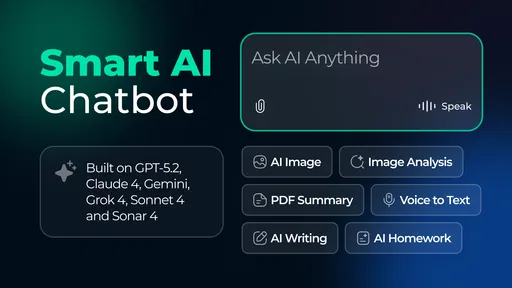
Its support for GPT-5.2, Gemini, and Claude gives the experience a broader feel than a single-model chatbot. I appreciate having different AI systems available because answers can vary in tone, structure, and usefulness. A writing request may benefit from one style of response, while brainstorming or explanation may feel better with another. Still, model choice is only valuable if I use it deliberately. Switching between assistants for every minor question can turn a simple task into unnecessary decision-making.
My best first-week use was not asking impressive questions. It was using short prompts at the exact point where friction normally appears. For example, while preparing a message, I could ask for a warmer version, a shorter version, or a more direct version, then return to the original task. That small interaction felt more practical than opening a chatbot just to experiment.
A realistic everyday workflow
Imagine preparing for a busy morning. I have a few meeting notes, an unfinished message, and a list of errands that needs sorting. With this app, I can use the assistant to turn scattered thoughts into a checklist, suggest a clearer order for the errands, and rewrite the message without leaving the flow of the day for long. The value is not that the AI performs the whole morning for me. The value is that it removes several small moments of hesitation.
There is an important trade-off here. Speed can encourage shallow thinking. If I ask the assistant to summarize everything immediately, I may miss details that I would have noticed while organizing the material myself. I get better results when I use it for a defined transformation: “make this shorter,” “separate actions from background,” or “give me three questions I should answer before sending this.” Specific prompts make the launcher feel like a tool, while vague prompts make it feel like a novelty.
One useful habit is to begin with the desired output, not the general topic. Instead of asking for help with a project, I would say that I need a five-point plan, a polite reply, a comparison, or a list of risks. This makes the conversation easier to judge and reduces the chance that a fluent but unfocused answer will seem more useful than it really is.
Where it beats a normal chatbot
Compared with opening a conventional AI app, the launcher has a clear advantage: less interruption. A normal chatbot is often better for extended conversations, saved context, and deliberate exploration. This app is better when the question appears in the middle of another activity. That distinction helped me decide when to use it rather than treating it as a universal replacement.
It also compares differently with ordinary productivity tools. A notes app is more dependable for storing information exactly as I wrote it. A calendar is better for commitments, and a task manager is better for tracking completion. An AI assistant can help prepare content for those tools, but it should not automatically be trusted as the final record. I would use the launcher to shape a task, then place the confirmed result in the appropriate app.
The most reliable role for this app is as a thinking shortcut, not as the system of record for important information. That single distinction prevents many disappointing experiences. It keeps the assistant useful without asking it to replace tools designed for accuracy, history, or accountability.
What makes the second and third weeks different
After the initial excitement fades, the app has to earn its place through repetition. I found that recurring value comes from a small set of repeatable jobs: editing, outlining, explaining, comparing, and converting unstructured text into a clearer format. These are not glamorous tasks, but they appear often enough to justify a quick assistant.
The multi-model setup can add value when I treat it as a way to get a second perspective. If an answer feels too generic, I can try another available assistant and compare the structure rather than blindly accepting whichever response sounds most confident. This is especially useful for brainstorming, where variety matters. It is less useful for factual questions that require checking against a dependable source, because multiple fluent responses do not automatically make an answer correct.
A practical technique is to use one assistant for expansion and another for criticism. I might ask for possible approaches first, then ask a different model to identify weak assumptions or missing steps. This does not guarantee a correct result, but it creates a more disciplined workflow than repeatedly requesting “a better answer.” It also gives the app a purpose beyond casual chat.
Another non-obvious use is prompt compression. When I have a long, messy thought, I can ask the assistant to turn it into a concise prompt before using that prompt for the real task. This two-step method sounds slower, but it often saves time when the original request contains several competing goals. The first response clarifies what I am actually asking; the second produces something easier to review.
Does it still matter after a month?
For me, long-term value depends on whether the app becomes part of a routine. If I only use AI when I want to test a new idea, the launcher will eventually feel unnecessary. If I use it at predictable points—before writing, after collecting notes, or when a decision needs structured comparison—it becomes easier to justify keeping it installed.
The free price lowers the barrier to maintaining that habit. I can try it without making a financial commitment, which is appropriate for an app whose usefulness depends heavily on personal workflow. At the same time, free access can make me less careful about whether I am using it efficiently. A tool costs attention even when it costs no money, and repeated low-value conversations can add clutter rather than productivity.
I would recommend setting a simple rule: use the launcher when it removes a specific obstacle, not merely because it is available. That rule keeps the app from becoming a reflex. It also makes it easier to notice whether the assistant is genuinely helping or simply producing more text to process.
The maintenance that keeps it useful
The maintenance burden is fairly light in concept, but it is not zero. I need to keep my expectations current, check the selected assistant before sending a sensitive or important request, and review answers instead of treating polished wording as proof. The app can shorten the path to an answer, but it cannot remove the responsibility to judge the answer.
I also found that prompt habits need occasional adjustment. A request that works well for rewriting may be poor for planning. For recurring tasks, I would keep a few personal prompt patterns in my notes: one for summarizing, one for extracting actions, one for comparing options, and one for challenging an initial idea. This makes the launcher more consistent than improvising every time.
Model choice creates another small maintenance task. If I always choose the first available option, the extra flexibility has little practical effect. If I change models constantly, I spend too much time managing the tool. The sensible middle ground is to keep a default assistant for routine work and switch only when the task has a clear reason to benefit from a different perspective.
Privacy also deserves a cautious workflow, even without turning the app into something intimidating. I would avoid pasting passwords, private identification details, confidential work material, or information about another person that I would not place in an external service. For ordinary drafting and brainstorming, the app can be convenient; for sensitive content, I would use a safer process or remove identifying details first.
Where fatigue starts to appear
The biggest source of fatigue is not the launcher itself but the amount of checking that AI-generated answers require. A quick response is only a time saver if I can evaluate it quickly. When the subject is unfamiliar, the assistant may sound certain while giving me no easy way to judge whether the reasoning is sound. In those cases, a traditional reference, official source, or specialist tool is the better choice.
There is also a repetition problem. Many AI responses settle into familiar patterns: an opening summary, a few broad suggestions, and a neat conclusion. That structure can be helpful for a first draft, but it becomes tiring when I need originality, precise domain knowledge, or a strong personal voice. I get better results by supplying constraints, examples, and a clear audience, though that requires more effort than simply asking for ideas.
Another point of friction is context. A launcher is excellent for a self-contained request, but a complex project may need background material, previous decisions, and exact references. If I have to reconstruct that context repeatedly, the speed advantage shrinks. A dedicated workspace or document-based tool may be more suitable when continuity matters more than instant access.
I would also skip this app if I want a conventional task manager, a distraction-free writing environment, or a dependable archive of personal information. The assistant can support those activities, but it does not replace their main strengths. People who prefer manual planning and already have a smooth system may gain very little from adding an AI layer.
Who will get the most from it?
I think it suits students, writers, office workers, independent professionals, and anyone who regularly turns rough thoughts into usable text. It is particularly helpful for people who ask many small questions throughout the day and dislike repeatedly navigating to a separate chatbot. The low commitment of a free productivity app also makes it reasonable for curious users who want to test whether AI assistance fits their habits.
It is less suitable for users who need strict factual reliability without checking, who work mainly with confidential material, or who want deep project continuity. It may also disappoint someone expecting a fully automated assistant that remembers every preference and manages an entire workflow independently. My experience was more grounded: it helps me start, reshape, and examine work, but I remain responsible for the final result.
My long-term verdict
After the novelty fades, AI Chat Launcher: AI Assistant still has a credible place on my device, but only because I use it for narrow, repeatable jobs. The launcher format is its practical advantage, and the availability of GPT-5.2, Gemini, and Claude gives me useful room to compare approaches. The app is not valuable simply because it contains several AI assistants; it is valuable when that access removes a real interruption in my day.
AtomApplications has built something I would recommend to a friend who wants quick AI help without committing to a complicated productivity system. I would explain the limits just as clearly: verify important answers, protect sensitive information, and do not confuse polished text with completed work. Those cautions are not reasons to avoid it; they are the habits that make it sustainable.
With an Everyone age rating and support for Android 10 and newer, it is approachable for a broad audience. Its 3.6.0 release is the version I reviewed, and the app’s free availability makes experimentation easy. Still, the lasting test is personal: if I can name three recurring moments where the launcher saves thought or navigation, it earns its space. If I only open it to ask random questions, the convenience eventually becomes background noise.
My final recommendation is positive, with a clear condition: keep it if it becomes a focused shortcut in your routine, not if it merely adds another place to chat. For quick drafting, structured brainstorming, second opinions, and turning messy notes into a starting plan, it can be genuinely useful. For records, high-stakes decisions, sensitive information, or long-running projects that need dependable continuity, I would choose a more specialized alternative and use this app only as a supporting layer.
Verdict
Strengths of AI Chat Launcher: AI Assistant
- Quick access to AI chats from your home screen or app shortcuts.
- Supports multiple AI assistants in one convenient interface.
- Useful for drafting messages, ideas, summaries, and everyday questions.
- Clean layout makes switching between conversations straightforward.
- Can reduce time spent opening separate AI apps or websites.
Limitations of AI Chat Launcher: AI Assistant
- Response quality depends heavily on the connected AI service.
- Some features may require subscriptions or separate account logins.
- Privacy policies can vary between the app and integrated AI providers.
- Background or shortcut features may use extra battery and system resources.
- Advanced customization options may be limited for experienced users.
Other Releases by AtomApplications
View All
QR & Barcode Scanner Launcher
Tools4.2

Brightest Flashlight Launcher
Tools4.3

2026 Calendar Launcher
Productivity4.4

Alarm Clock Launcher
Productivity4.3
Similar Picks in This Category
View All
Google Calendar
Google LLC4.6

Google Drive
Google LLC4.3

Google Assistant
Google LLC3.9

Microsoft OneDrive
Microsoft Corporation4.6

Samsung Calendar
Samsung Electronics Co., Ltd.4.1

Microsoft OneNote: Save Notes
Microsoft Corporation4.6
Frequently Asked Questions
What is AI Chat Launcher: AI Assistant, and what can it do?
AI Chat Launcher: AI Assistant is designed to provide quick access to artificial intelligence tools from your phone. It can help with tasks such as answering questions, generating ideas, rewriting text, summarizing information, drafting messages, and assisting with everyday searches. Its usefulness depends on the AI service connected to the app, the quality of your prompts, and whether certain features require an internet connection or a paid plan.
Does AI Chat Launcher: AI Assistant work offline?
Most AI-powered functions require an active internet connection because requests are generally processed through online servers rather than entirely on your device. You may still be able to open the launcher or access basic interface options while offline, but generating answers, images, summaries, or other intelligent responses may not work. For reliable performance, use a stable Wi-Fi or mobile data connection.
Is AI Chat Launcher: AI Assistant free to download and use?
The application may be available to download at no initial cost, but some features can be limited by advertisements, usage restrictions, subscriptions, or in-app purchases. Before relying on advanced tools, check the pricing information shown in the app store and during setup. Pay particular attention to free trials, renewal terms, and whether premium access is billed automatically after the trial period ends.
Is it safe to share personal information with AI Chat Launcher: AI Assistant?
You should avoid entering highly sensitive information, including passwords, banking details, identity documents, private medical records, or confidential business material. AI conversations may be transmitted to external servers depending on the provider and the app’s privacy policy. Review the permissions requested, read the developer’s data practices, and remember that AI-generated responses should not be treated as guaranteed private, accurate, or professionally verified advice.
Can AI Chat Launcher: AI Assistant replace professional advice or make reliable decisions?
The app can be useful for brainstorming, writing assistance, explanations, and general information, but it should not replace a qualified doctor, lawyer, financial adviser, teacher, or other professional. AI systems can produce outdated, incomplete, or incorrect answers, sometimes with convincing wording. Always verify important claims using trustworthy sources and seek professional guidance before making decisions involving health, money, safety, or legal matters.
